Itty Bitty Circuit Official & Wiki Links
Play the game, find Discord, and jump to codes, guides, tiers, and updates.
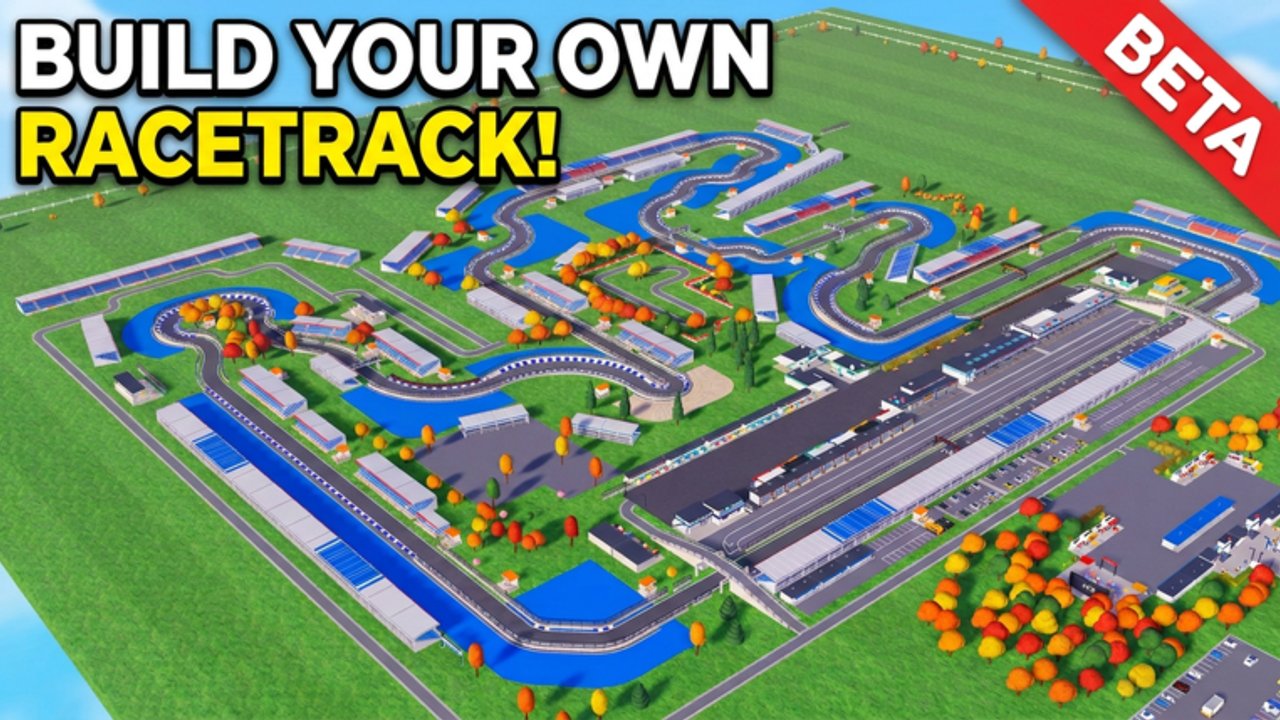
Official Roblox experience
Play Itty Bitty Circuit here:
- Itty Bitty Circuit on Roblox — free Sports & Racing circuit tycoon by ogm10_endea (place
125660167015046).
The live page lists maturity (Minimal), visits (on the order of ~1.5M and climbing), likes, and the current game pass shelf: Drivers Pack 99 R$, F1 Bundle 149 R$, Auto Event 249 R$, and Non-Collision Pass 599 R$. Always buy passes through Roblox’s official prompt—never through middleman sites or “pass generators.”
Discord (bug reports & community)
The developer notes that the game is in BETA and asks players to report bugs in Discord. We do not invent or hardcode invite links that may expire or get hijacked. To join safely:
- Open the official Roblox game page above.
- Check the description and any social / community links Roblox shows for the experience or creator.
- Use only invites that clearly belong to Itty Bitty Circuit / ogm10_endea channels.
- Enable ordinary Discord safety (no password shares, no “free Robux” DMs, no random file downloads).
Discord is the right place for bug reports, layout screenshots, hosting LFG, and patch chatter that later lands on our Updates Hub. Multiplayer etiquette for ~4-player servers lives on the Players Hub.
This fan wiki — hub map
This site is an unofficial wiki. Use these hubs as your table of contents:
| Hub | What you get |
|---|---|
| Codes Hub | Active code status (none as of November 2026) and redemption tips |
| Guides Hub | Tutorials index; start with Getting Started |
| Tier List Hub | Cash buy priority for track, stands, land, pits |
| Game Passes | Robux value ranks for the four listed passes |
| Scripts Hub | Command-menu documentation and ban-risk warnings |
| Players Hub | Friends, Discord culture, reputation habits |
| Updates Hub | BETA expectations and November 2026 patch context |
| Links Hub | This page — official + wiki navigation |
Suggested reading order
- Launch from the Roblox link, complete a short build session, then open Getting Started.
- Spend cash using S/A/B/C order on the Tier List Hub.
- Decide Robux with Game Passes only after races actually pay.
- Bookmark Codes and Updates for post-patch sweeps.
- Bring friends via the Players Hub checklist when you host.
Quick facts for link hoppers
- Platform: Roblox only
- Status: BETA / early access since September 2026
- Loop: closed track → race often → objectives → sponsors → stands → land → pits
- Classes: club racing up through F4 toward F1 and Hypercars
- Co-op: online, small ~4-player servers
- Codes: none active right now—watch Discord + Codes after updates
Trust & safety
- Prefer links from this page and the official Roblox URL above.
- Do not download “circuit unlocker” executables from random DMs.
- Read Scripts before pasting any
loadstring. - Cross-check economy advice on Tier List after big patches.
- Remember this wiki can lag a few hours behind Discord during hotfixes—verify in-game.
Bookmark the Roblox experience, find Discord from that page, then use this wiki to plan your next stand, pass, or race night.
Frequently Asked Questions
Quick answers to the most common questions.
Is this wiki official?
No. It is a fan-made resource. For official announcements and bug reports, use the Roblox game page and the Discord linked from that page.
Where is the Discord invite?
We do not hardcode invites. Open the official Roblox Itty Bitty Circuit page and use the description or social links shown there.
What is the official game URL?
https://www.roblox.com/games/125660167015046/Itty-Bitty-Circuit — also linked at the top of this Links Hub.
Which wiki page should a new player open first?
Start with Getting Started under Guides, then skim the Tier List Hub for buy order and Codes for freebie status.