Itty Bitty Circuit Controls Guide
Build UI habits, race hosting clicks, and edit workflows that keep circuits valid.
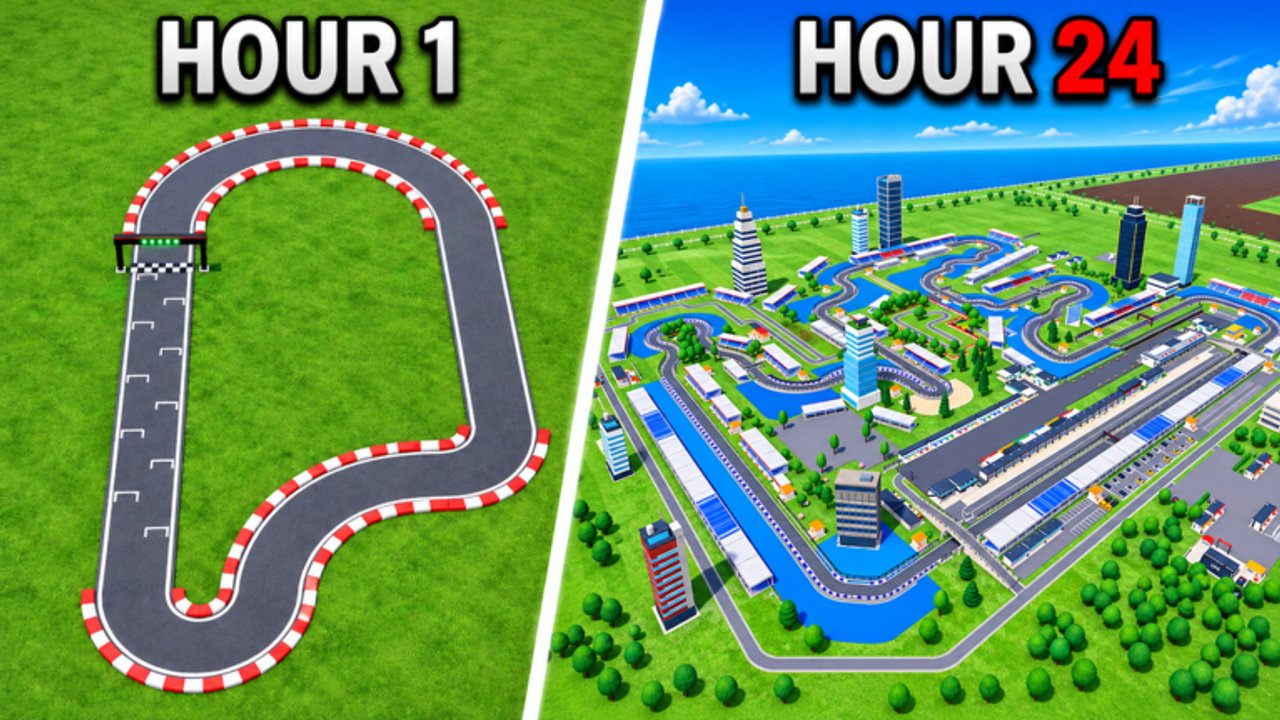
Controls in Itty Bitty Circuit are less about flashy keybinds and more about a clean build-and-host workflow. The Roblox Sports & Racing tycoon by ogm10_endea asks you to place a finish line, connect track pieces, close the loop, host events, then edit without breaking validation. This guide covers the practical UI habits that stop beginners from leaving gaps, misplacing stands, or forgetting to race after every upgrade.
For layout craft see Build Track. For first-hour goals see Getting Started. For spend order after you can click Host confidently, use Money Fast and Facilities & Upgrades.
Core loop mapped to the UI
Think in five panels you will open every session:
- Build / track tools — place finish line, straights, corners, elevation pieces.
- Edit / select — move or remove pieces when a join looks wrong.
- Host / events — start races once the circuit is closed.
- Objectives — claim tasks that pay cash and reputation.
- Sponsors / shop-style panels — contracts, signs, and optional game passes.
Exact button labels can shift in BETA. If a panel moved after a November 2026 patch, re-open menus from the main HUD and check Updates. The workflow above stays the same even when icons rename.
Building controls that matter
Finish line first
Place the finish line before long decorative runs. It anchors race logic. Players who carpet the plot with random straights often struggle to close a valid loop later.
Straights and corners
- Add straights to set length.
- Add corners to change direction.
- Nudge pieces until connections sit flush—gaps are the number-one reason events will not start.
- Bring the route back to the finish line and visually confirm closure.
Elevation pieces
After the elevation-focused updates called out by the community, height tools let you build climbs and drops. Controls tip: raise short segments, test the racing line, then extend. Do not elevate an unfinished open path and hope it closes later.
Stands, pits, and paddock props
Facility pieces use the same placement mindset: keep them off the racing line, leave pit entry clear, and re-check that cars can still complete a lap after each drop. Details on buy order live in Facilities & Upgrades.
Editing without soft-locking yourself
Circuits remain editable—use that. When a join looks suspicious:
- Select the offending piece.
- Nudge or replace it rather than deleting half the track.
- Host a quick race as your validation test.
- Only then add the next corner or stand.
If a patch breaks an old join, rebuild the local connection instead of the entire venue. Save ambitious elevation experiments for after a flat loop already prints cash.
Hosting and session controls
Hosting is a control skill as much as an economy skill:
- Open the event / host control as soon as the loop looks closed.
- Run several events before opening the build menu again.
- After each purchase, return to host—do not chain ten build clicks with zero races.
- On Auto Event owners: still verify manually after patches that automation matches current UI (Game Passes).
Server size is 4, so lobbies stay small. Short sessions reward players who know which button comes next.
Desktop vs mobile habits
Roblox runs on multiple devices. Practical tips:
- Desktop — easier precision for flush track joins and elevation nudges; use it for major redesigns.
- Mobile / tablet — fine for hosting races and clearing objectives; save delicate piece surgery for a larger screen when possible.
- Either way, zoom out to confirm the whole loop closes before you spam Host.
Objectives, sponsors, and menus
Open objectives at join and before leave. Open sponsors after a race block so contract progress stays visible (Sponsors & Fans). Treat shop or pass menus as optional side panels—learn the free loop before spending Robux.
Troubleshooting common control fails
| Symptom | Likely cause | Fix |
|---|---|---|
| Events will not start | Gap or unclosed loop | Inspect joins; reconnect to finish line |
| Cars clip weirdly | Bad elevation / overlap | Flatten the segment; retest |
| Stands feel useless | No race volume | Host first, then add capacity |
| Soft UI confusion after patch | BETA menu move | Recheck HUD; skim Updates + Discord |
| Pass buttons look different | Shop retune | Confirm prices on the live Roblox page |
Report persistent bugs through Discord linked from the official experience / Links Hub.
Practice drill (10 minutes)
- Place finish line.
- Build a tiny rectangle of straights and corners.
- Close the loop; host two races.
- Move one corner; host again to confirm edit safety.
- Place one stand offline of the racing line; host once more.
- Open objectives and sponsor panels before you quit.
Complete that drill and the rest of the wiki’s strategy guides become easier to execute, because the buttons stop being the bottleneck.
Related pages
- Build Track — deeper layout patterns.
- Tips & Tricks — cadence after the UI feels natural.
- Updates — patch notes that move menus.
- Guides Hub — full walkthrough index.
Master finish-line-first building, validate with a race after every edit, and keep host / objectives / sponsors in your every-session muscle memory. Those controls turn BETA chaos into a reliable circuit business.
Frequently Asked Questions
Quick answers to the most common questions.
What should I click first when building in Itty Bitty Circuit?
Place the finish line first, then connect straights and corners into a closed loop before decorating or elevating.
How do I know my track controls are correct?
Visually confirm every join is flush, the route returns to the finish line, and a hosted race completes a lap without soft-locking.
Can I edit the track after placing facilities?
Yes. Circuits stay editable—nudge pieces, re-host a validation race, then continue building.
Do controls differ on mobile?
The same menus exist, but precise joins are easier on desktop. Use mobile for hosting and objectives; save delicate edits for a larger screen when you can.
Where did my Host or Codes button go after an update?
BETA patches can move HUD panels. Recheck the main menus and the Updates hub; codes remain inactive as of November 2026.